Video feeds only go down. This one goes deeper.
Arrange YouTube videos into a main track with side paths. Viewers swipe down for the next clip, and right whenever they want to go deeper into something. Build one in minutes and share it as a single link.
- Free, no account
- Uses YouTube's own player
- One link holds the whole path
Demo: How a neural network learns
How it works
- Paste YouTube links. Any public video that allows embedding: your own, or the best explanations already out there. Set start and end times to use just the part that matters.
- Arrange the path. The main track is the story from start to finish. Under any clip, add a deeper track for people who want more: the background, the maths, the worked example.
- Share one link. The whole path is stored in the link itself, so there's nothing to host and no account. Embed it in a course page, a newsletter or a pitch.
Why a tree instead of a playlist
A playlist forces everyone through the same order at the same depth. Some viewers already know the basics; others need a detour before the next step makes sense. A rabbit hole keeps the main story short and puts the detours one swipe away, so experts keep moving and beginners can dig in without losing their place.
It suits courses, onboarding, explainers with optional depth, and pitch decks where an investor can ask “how does that work?” by going deeper instead of waiting for the end.
More demo paths
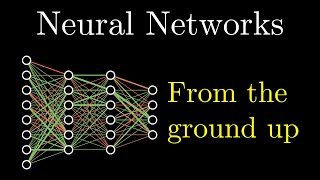 How a neural network learns10 clips, 2 levels deep. 3Blue1Brown's deep learning series as a rabbit hole. The main track goes from neurons to transformers; go deeper wherever the maths gets ahead of you.
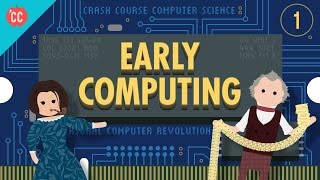 How computers work, from switches up8 clips, 2 levels deep. Crash Course Computer Science's first seven episodes as one track, with a hands-on detour into building logic gates from transistors.
 Linear algebra, visually6 clips, 2 levels deep. The first chapters of 3Blue1Brown's Essence of linear algebra, with a side path showing where matrices turn up next: neural networks.
Questions
Do I need an account?
No. The builder runs in your browser and the path is stored inside the share link. Your draft is kept in this browser until you clear it.
Which videos can I use?
Any public YouTube video whose owner allows embedding, which is most of them. The builder checks each link with YouTube and tells you if a video can't be embedded. Videos always play in YouTube's own player and stay on YouTube: nothing is downloaded or copied.
How do viewers move around?
On a phone, swipe on the pad under the video: up for the next clip, left to go deeper, right to back out. On a computer, use the arrow keys or the buttons. A map shows the whole path and which clips you've watched.
Can I use only part of a video?
Yes. Give any clip a start and an end time and the player plays just that part, using YouTube's own start and end settings.
Can I put it on my website?
Yes. Press Embed under the player to get an HTML snippet. It works anywhere you can paste an iframe: course platforms, blogs, Notion-style pages and newsletters that allow embeds.
Does it track viewers?
Rabbit Hole itself stores nothing about viewers. Videos play in YouTube's privacy-enhanced mode; once a video plays, YouTube's own privacy policy applies to it.
Guides
- Design a course as a rabbit hole: main track vs. deeper pathsHow to decide what goes on the main track of a video course and what goes deeper, so beginners get support without slowing everyone else down.
- How to make a branching video from YouTube clipsA step-by-step guide to building a video path with a main track and go-deeper side paths from existing YouTube videos, without editing software or uploads.
- Interactive YouTube playlists: what the embed rules allowWhat you can and can't do when you build on YouTube's embedded player, from start and end times to covering the player, downloading and videos that block embedding.